A320 Recording and Maintenance Systems
The A320's recording and maintenance systems are the Centralized Fault Display System, which centralises the display of system faults through its interface unit, the CFDIU, and the flight data recording system and cockpit voice recorder, which record flight parameters and flight deck audio and can be started on the ground with the GND CTL pushbutton.
Two families of A320 systems do most of their work out of the crew's sight. The Centralized Fault Display System (CFDS), as its name says, centralises the display of the faults detected in the aircraft systems. The flight data recording system and the cockpit voice recorder (CVR) record what the aircraft did and what was said and heard on the flight deck, for investigators and for the operator's flight data programme.
The flight crew see little of either. They meet maintenance matters mainly through the ECAM STATUS page and their own reports, and the recorders through the RCDR panel on the overhead panel, whose GND CTL pushbutton starts them on the ground. The general principles are in flight recorders; this article covers the A320's own installation.
Centralized fault display system
The CFDS's interface unit is the Centralized Fault Display Interface Unit (CFDIU), which receives data from the aircraft's computers. Two examples show the principle. The air data and inertial reference system sends its parameters to the CFDIU among its many users, alongside the flight guidance, engine and flight control computers. In the flight controls, two flight control data concentrators (FCDCs) acquire data from the ELACs and SECs and pass it both to the electronic instrument system, for the crew's displays, and to the CFDS (see A320 flight controls architecture and computers).
The crew's own alerting is the ECAM, which tells them what a failure means for the flight and what to do. Some maintenance functions are reached through the MCDU. An N1 exceedance mark on the engine display, for instance, disappears only after a new engine start on the ground or a maintenance action through the MCDU, and an MCDU procedure lets the engine vibration advisory threshold be reduced to the last flight's level, which helps trend monitoring.
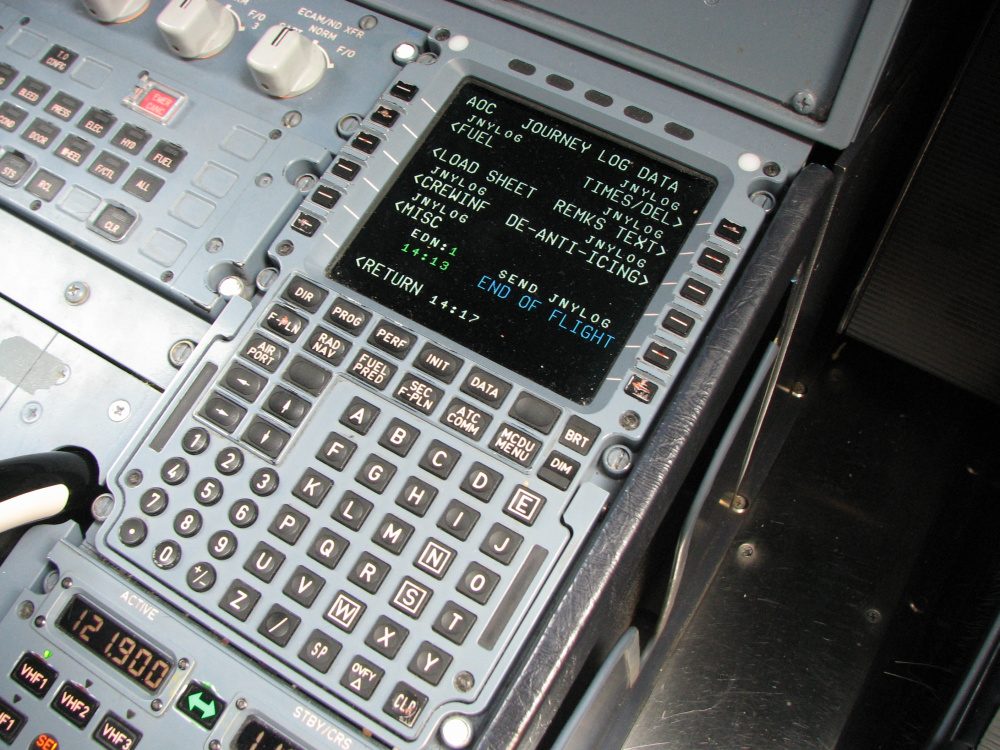
CFDIU and fault reporting
Failure types and alert levels
The A320's warning philosophy classifies failures by their effect. An independent failure affects one system without degrading others; a primary failure costs the aircraft the use of other systems; a secondary failure is the loss of a system that results from a primary failure. The crew alerts are graded in three levels:
| Level | Meaning | Aural | Visual |
|---|---|---|---|
| 3, red warning | Immediate action needed | Continuous repetitive chime, specific sound or synthetic voice | MASTER WARN, red message, system page |
| 2, amber caution | Awareness, no immediate action | Single chime | MASTER CAUT, amber message, system page |
| 1, amber caution | Monitoring: loss of redundancy or system degradation | None | Amber message, generally without procedure |
Some faults that matter to maintenance never reach level 2. A flight control data concentrator fault, for example, is a level 1 caution: the aircraft has lost redundancy, not capability. See A320 ECAM and warning system for the full logic.
Maintenance status
The ECAM STATUS page sums up the aircraft's condition: limitations and procedures in blue, approach procedures in white (or red or amber), information in green, cancelled cautions in white, inoperative systems in amber and the maintenance status in white. The MAINTENANCE status can appear only on the ground, before engine start or after engine shutdown. A maintenance status alone does not trigger the STS reminder on the engine and warning display, except at engine shutdown, when the reminder draws the crew's attention to it so that it can be reported.
At aircraft acceptance, the pilot in the left seat (CM1) presses the RCL pushbutton for 3 seconds. This recalls all the warnings the previous crew cleared or cancelled during the last flight, so that a fault seen and dismissed in flight is brought to the new crew's attention.
What the crew report
Fault reporting does not depend on the computers alone. The procedures name a series of observations after which maintenance action is due, for example:
- after landing, a temperature difference of more than 150 °C between two brakes on one gear with one at 600 °C or more, or at 60 °C or less; an average difference of 200 °C or more between the left and right gear brakes; or any brake above 900 °C;
- a fuel leak from an engine drain mast still present after 5 minutes at idle;
- fuel on board plus fuel used that is not consistent with the fuel on board at departure, with a discrepancy that is not usual;
- a ground crew report that a tyre burst may have damaged the landing gear.
Conversely, a brief brake pressure peak below 2,000 psi when the pedals are pressed quickly during the taxi brake check needs no maintenance action. Some indications are addressed to maintenance: the white MAINT flag on the integrated standby instrument, shown on the ground below 60 kt, does not affect the instrument's operation. Defects go into the technical log, which is described in technical log, MEL and deferred defects.
Maintenance panel functions
A maintenance panel groups controls meant for ground use: a TEST pushbutton that checks the APU fire warning, automatic extinguishing and shutdown circuits (and shuts the APU down if it is running), the LEAK MEASUREMENT VALVES and BLUE PUMP OVRD pushbuttons of the hydraulic system, and the FADEC GND PWR pushbutton, which powers the FADECs on the ground with the engines stopped. The cabin oxygen system has its own TMR RESET pushbutton for maintenance staff.
Flight data recording system
The A320's flight data recording system consists of three units:
- the Flight Data Interface and Management Unit (FDIMU);
- the digital flight data recorder (DFDR), which stores at least the last 25 hours of data on a fireproof and shockproof device, with an underwater locator beacon attached;
- a three-axis linear accelerometer (LA).
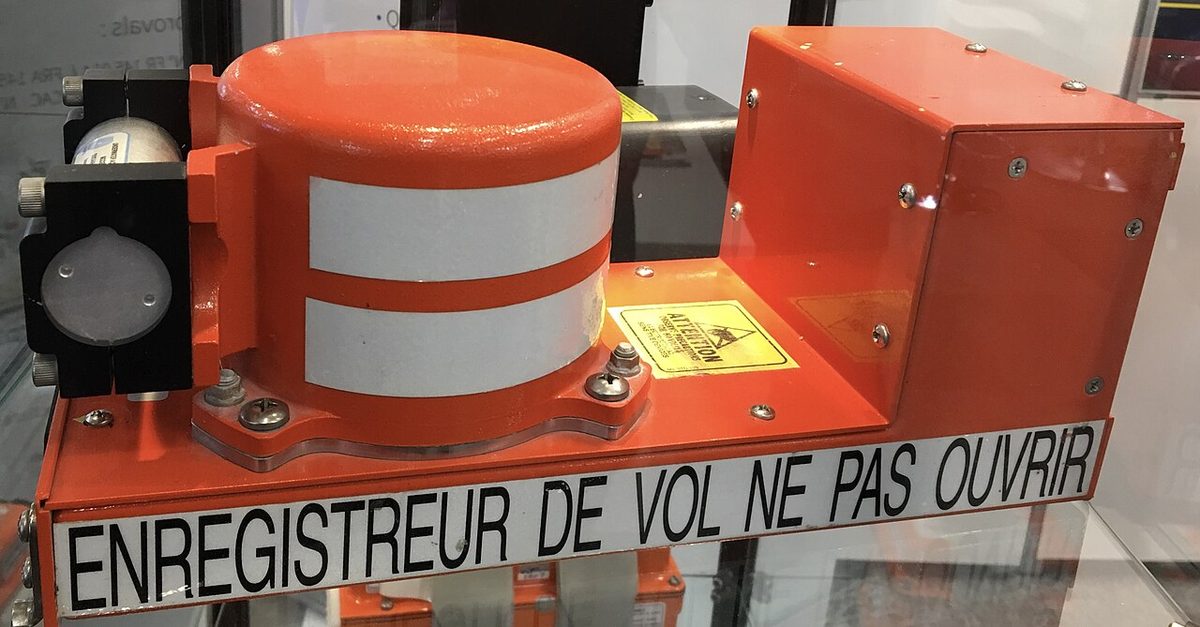
The system records automatically:
- on the ground, for the first 5 minutes after the aircraft electrical network is energised;
- on the ground, after the first engine start;
- in flight, whether the engines are running or not.
On the ground it stops automatically 5 minutes after the second engine is shut down. The crew can also start it by hand with the GND CTL pushbutton.
FDIMU and quick access recorder
The FDIMU is the first of the three units the FCOM lists; how flight data are collected from the aircraft's computers and sensors and passed to a recorder is described in general terms in flight recorders. The A320 also has a quick access recorder (QAR), which the GND CTL pushbutton starts together with the DFDR and the CVR.
Cockpit voice recorder
The A320 CVR system consists of a remote microphone behind the overhead panel, a hot mike function, a crash-protected four-track recorder with an underwater locating beacon in the aft section of the aircraft, and the control panel on the overhead panel. The hot mike records each pilot's voice directly from the microphone even when the push-to-talk switch is not pressed. The CVR records:
- direct conversation in the cockpit;
- aural warnings;
- radio transmissions and receptions;
- interphone communication;
- passenger announcements, if PA reception is selected on at least one audio control panel.
It does not record flight data; those go to the DFDR. Only the last 2 hours are retained.
The CVR records automatically on the ground for the first 5 minutes after the electrical network is energised, on the ground with one engine running, in flight, and on the ground until 5 minutes after the last engine shutdown. Its air and ground logic comes from the landing gear control and interface units, which also tell many other systems whether the aircraft is on the ground.
The CVR ERASE pushbutton, held for 2 seconds, erases the whole recording, but only with the aircraft on the ground and the parking brake set. The CVR TEST pushbutton, pressed and held, runs the test only if the CVR is on, because GND CTL is pressed or the network was energised less than 5 minutes ago, and the parking brake is set. If the test does not start at the gate with GND CTL pressed, the likely reason is that the parking brake is not set.
Note: under the EU air operations rules, recordings must not be erased after an accident or serious incident, and the commander must not switch the recorders off in flight. The erase function exists for routine flights, not to remove evidence.
Recorder ground control
The recorder ground control (GND CTL) pushbutton on the RCDR panel is the crew's main control of the recorders. On the ground, pressing it starts the CVR, the DFDR and the QAR by hand, and its ON light comes on. This is how the crew can run the CVR test during cockpit preparation once the first 5 minutes after power-up have passed. After engine start, the ON light goes out and the recorders run automatically, so the crew need not deselect it.
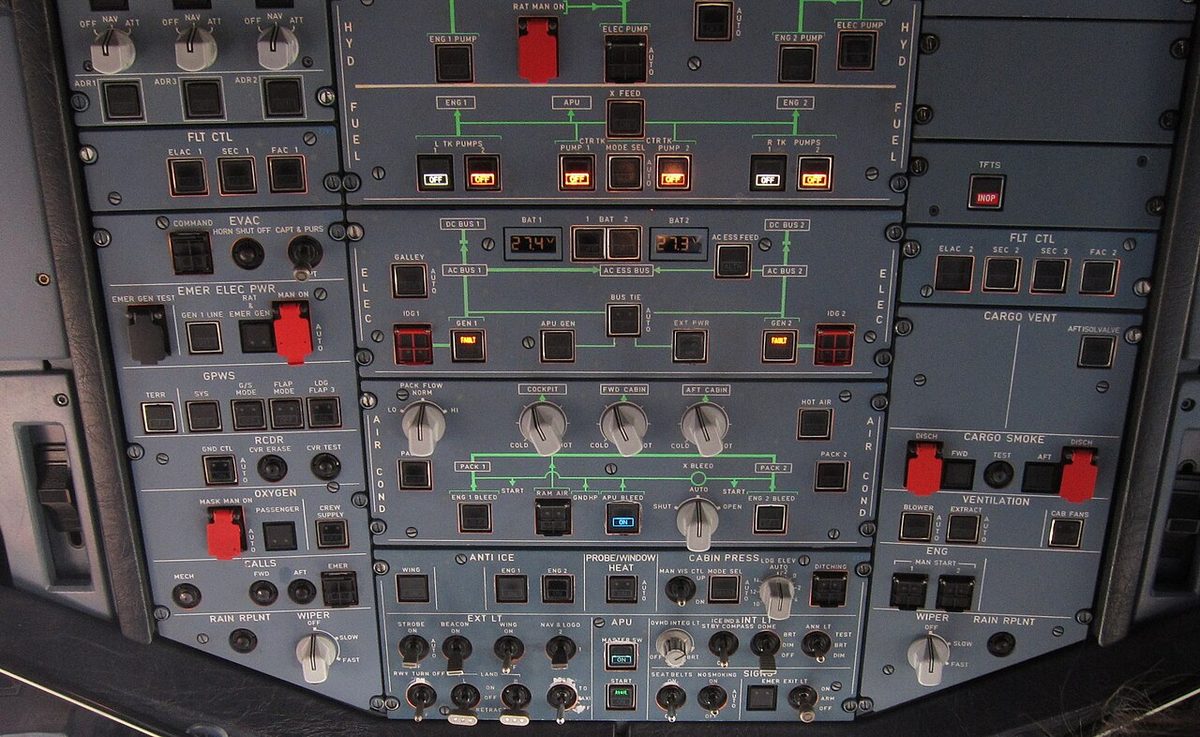
The GND CTL pushbutton may revert to AUTO by itself during an electrical transient, active or inactive according to the automatic logic. A crew who pressed it before a power changeover should therefore check its state rather than assume it is still on.
Exam tip: the recorders are automatic on the ground for 5 minutes after power-up and from the first engine start until 5 minutes after the last engine shutdown, and always in flight. GND CTL is the manual start on the ground; ERASE and TEST both need the parking brake set; the DFDR keeps at least 25 hours and the CVR 2 hours.
Frequently asked questions
What does the GND CTL pushbutton do on the A320?
On the ground, pressing the GND CTL pushbutton on the RCDR panel starts the cockpit voice recorder, the digital flight data recorder and the quick access recorder manually, and its ON light comes on. After engine start the ON light goes out and the recorders run automatically. The pushbutton may revert to AUTO by itself during an electrical transient.
When does the A320 flight data recorder record?
The flight data recording system runs automatically on the ground for the first 5 minutes after the aircraft electrical network is energised, on the ground after the first engine start, and in flight whether or not the engines are running. On the ground it stops automatically 5 minutes after the second engine is shut down. The crew can start it earlier with the GND CTL pushbutton.
How long does the A320 cockpit voice recorder keep its recording?
Only the last 2 hours are retained. The CVR records cockpit conversation through a remote microphone behind the overhead panel, with a hot mike function that captures each pilot's microphone even when the push-to-talk switch is not pressed, plus aural warnings, radio transmissions and receptions, interphone and passenger announcements when PA reception is selected on at least one audio control panel.
When can the A320 CVR be erased?
Holding the CVR ERASE pushbutton for 2 seconds erases the whole CVR recording only if the aircraft is on the ground and the parking brake is set. The CVR TEST pushbutton likewise works only with the parking brake set and the CVR running, either because GND CTL is pressed or during the first 5 minutes after the electrical network is energised.
When does the MAINTENANCE status appear on the A320 ECAM?
The MAINTENANCE status, in white on the STATUS page, can appear only on the ground, before engine start or after engine shutdown. A maintenance status alone does not trigger the STS reminder on the engine and warning display, except at engine shutdown: then the reminder appears so that the crew notice it and report it for maintenance.
Test yourself on A320 Recording and Maintenance Systems
The v1prep banks cover this topic in the A320 type-rating bank, with a worked explanation for every answer. EASA ATPL, PPL, IR and CPL, the FAA written tests and A320/B737 type ratings.
Start practising →Sources and further reading
- ICAO Annex 6, Operation of Aircraft, Part I, International Commercial Air Transport, Aeroplanes (flight recorders)
- EASA Easy Access Rules for Air Operations (Regulation (EU) No 965/2012), CAT.IDE.A.185 to 200, CAT.GEN.MPA.105 and CAT.GEN.MPA.195
- EASA Easy Access Rules for Large Aeroplanes (CS-25), CS 25.1457 Cockpit voice recorders and CS 25.1459 Flight data recorders
- 14 CFR 91.609, Flight data recorders and cockpit voice recorders
- EASA Type Certificate Data Sheet EASA.A.064, Airbus A318, A319, A320, A321
- EASA Easy Access Rules for Continuing Airworthiness (Regulation (EU) No 1321/2014), Part-M, M.A.306 Aircraft technical log system
Library articles are written for study and exam preparation. They do not replace your aircraft's approved documentation, your operator's procedures or the regulations themselves.